Thank you for your purchase!
Please download your products below. I've also sent you an email containing your download link. Don't forget to check your spam/junk folder if you don't see the email in your inbox.
If you have any problems with your download, please contact me here:
INSTALLATION INSTRUCTIONS
When you click on the link to access the app (at the bottom of this page), you’ll be taken to the Welcome Screen:
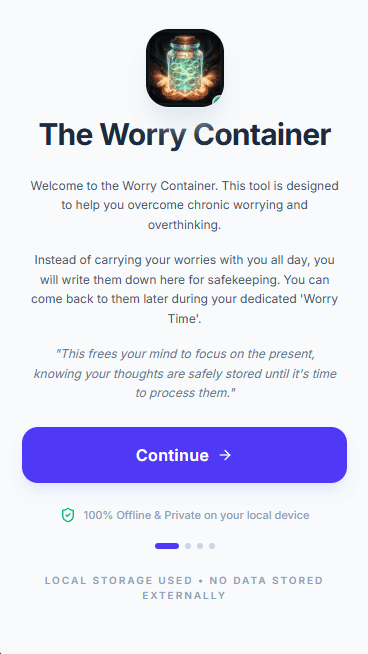
This is the first of 4 screens that will walk you through the process of installing the app on your device.
Tap ‘Continue’ to move to the ‘Set Your Worry Time’ screen.
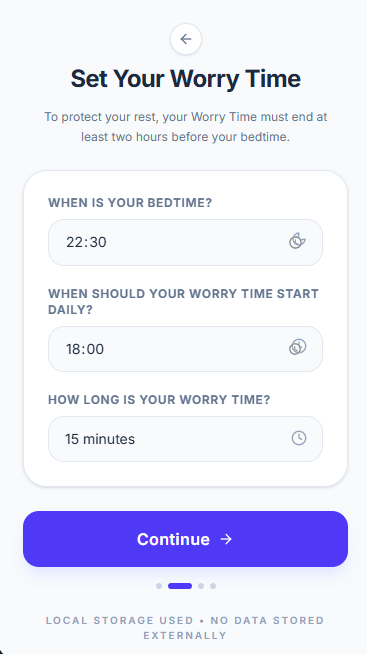
This screen allows you to input the following information:
1. Bedtime: This is the time you go to bed every day. The reason this is required is because your worry session must end at least 2 hours before your bedtime. This is to protect your rest.
2. Worry Start Time: This is when you worry time starts each day.
3. Worry Time Duration: This is how long you want your worry session to be.
You can change these settings later through the ‘Settings’ Tab after installing the app.
When you finish inputting the information, tap ‘Continue’ to move to the ‘Save to Home Screen’ page.
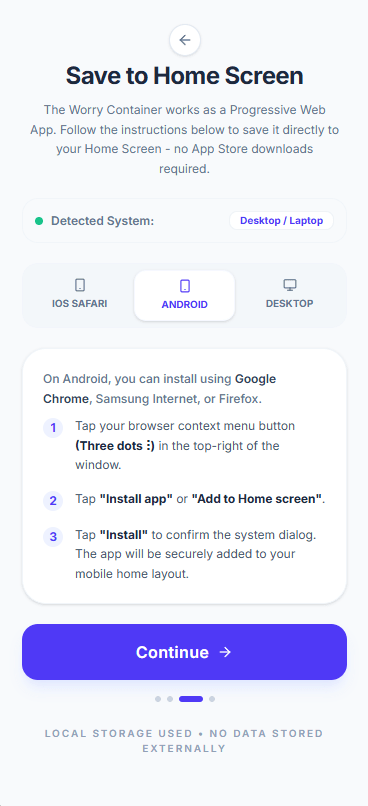
Because the Worry Container is a Progressive Web App (PWA), you don’t need to download it from an app store or follow any complicated download procedures. To install it, you simply add it to your Home Screen.
This ‘Save to Home Screen’ page will guide you through the specific steps to add the worry container to your home screen depending on your device. It will also install the worry container icon on your home screen.
When you’re done, tap ‘Continue’ to move to the next screen.
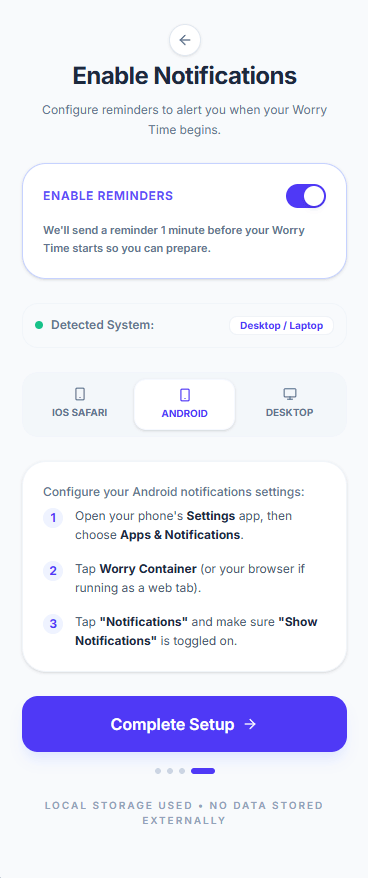
Allow notifications on this screen to get reminders before your worry time begins.
Tap ‘Complete Setup’ to finish installing the app. This opens your Home Dashboard (the worry container).
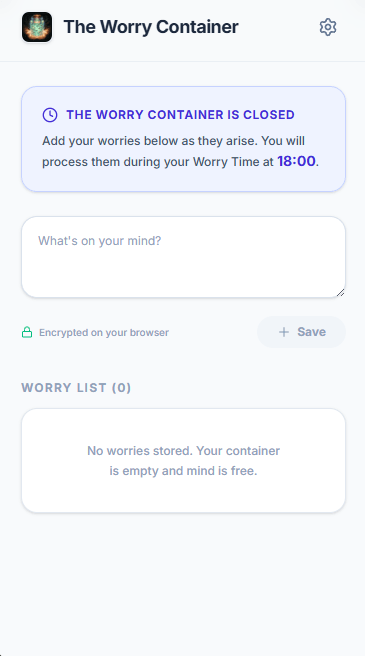
You should now have the Worry Container installed on your device.
Make sure you download and read the User Manual for more information about using your Worry Container.